


Gemoji - Emoji Maker Sticker
4.6254.00 Reviews
App Specs
- Version
- 1.2.18.17
- Updated On
- License
- Free
- Downloads
- 500,000+
- Developer
- Tank Game Inc.
- Categories
- Personalization
- Platform
- Android
Screenshots
 Analysis by AppCompare
Ever felt like the standard emojis just don’t cut it when you’re trying to express yourself? Yeah, me too. That’s where Gemoji - Emoji Maker Sticker comes in, and trust me, it’s a game changer. Let me take you through my journey of discovering and playing around with this app.
A personal toolkit for messages
My main takeaway is that this is a small, playful personalization app rather than a full graphic-design workspace. Its appeal is the chance to make an emoji feel more like an inside joke or a familiar reaction than a stock symbol. I’d reach for it when a group chat has developed its own running jokes, or when I want a more personal response than a standard smiling face can provide.
That distinction matters when choosing between an emoji maker and the usual alternatives. A phone’s built-in emoji keyboard is quicker for everyday replies, while a general image editor is a better fit for carefully composed artwork. This app sits between those options: it focuses on making expressive emoji-style designs without asking me to approach the task like a serious design project. The trade-off is that a playful creator is not automatically the best choice for polished graphics or a complete sticker-making workflow.
For a realistic use, imagine a friend’s birthday group chat where everyone is sharing familiar jokes. I could make a custom reaction that reflects the group’s mood, save it, and reuse it later instead of searching through the keyboard for something close enough. That sort of repeated use is where a personal collection can become more useful than making a one-off novelty and forgetting it.
Unleashing Creativity with Gemoji
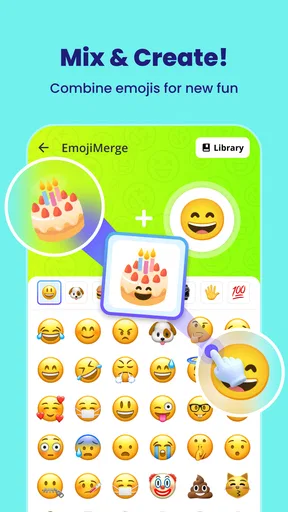
So, what’s the deal with Gemoji? Imagine having a blank canvas and being able to craft your own unique emojis. Sounds fun, right? I was hooked from the moment I downloaded it. The app allows you to mix and match different elements to create emojis that are truly your own. It’s like having a mini design studio right in your pocket.
Getting Started
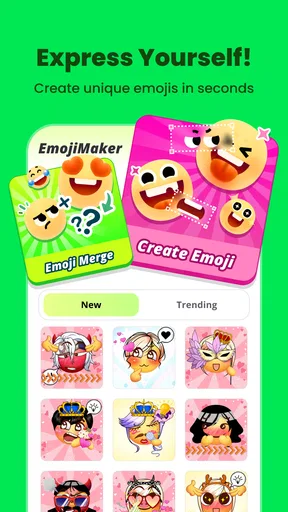
Once you fire up the app, you’re greeted with a user-friendly interface that’s both intuitive and engaging. No complicated menus or overwhelming options here. The app is designed so even someone who isn’t tech-savvy can dive right in. I found myself navigating through the features with ease, thanks to its simple layout.
Upon opening, you can either start from scratch or use one of the many templates available. Personally, I love starting from a blank slate, but the templates are a great way to get inspired. You can tweak everything from facial expressions to accessories, giving you endless possibilities.
Worth Reading Before You Choose

EA SPORTS FC Mobile 26 Is a Bigger Football Game, but It Takes Time

Flipboard Shows What News Apps Must Do Beyond the Feed

Switching to Android Auto Means Rethinking Your Driving Routine

Google Calendar Makes a Crowded Week Easier to Manage

Ludo King Makes the Most of the Minutes Between Plans

Baby Panda World Brings Quick Play to Modern Phones, but Its Game Library Feels Busy
Features That Stand Out
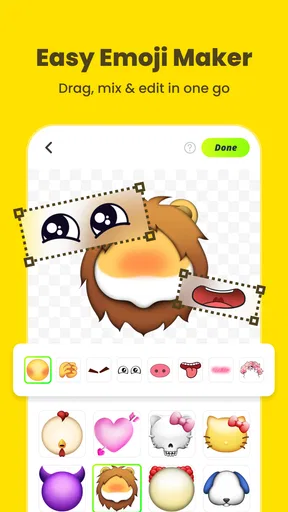
One of the coolest features is the layering system. It’s a bit like using a professional design tool but without the complexity. You can stack elements, adjust sizes, and even rotate them to fit your perfect vision. I spent hours just experimenting with different combinations.
A practical tip is to treat each layer as a separate visual decision rather than adding every amusing item at once. I get clearer results by choosing the expression first, then adding an accessory only if it strengthens the joke or mood. Small size adjustments also matter: an element that looks balanced while editing can feel crowded when seen as a tiny chat image. Keeping a little visual breathing room makes a creation easier to read at a glance.
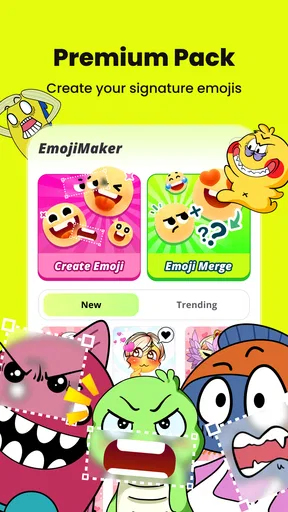
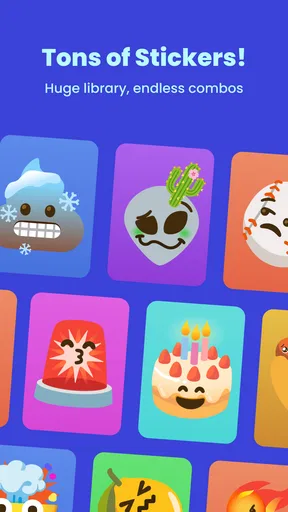
Another feature worth mentioning is the app’s vast library of elements. From quirky hats to funky glasses, the app offers a wide array of items to choose from. I found myself giggling at some of the zanier options, which added a fun twist to my creations.
The library encourages experimentation, but it can also make it tempting to keep adding details long after the idea is already clear. I find it more satisfying to start with a simple concept—an exaggerated expression, for instance—and let the available pieces support it. Templates are useful when I’m short on inspiration; a blank start is better when I already have a specific character or reaction in mind. Neither route is inherently better, and switching between them helps keep the process from feeling repetitive.
Sharing the Emoji Love
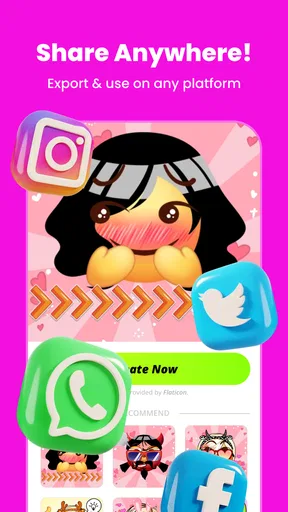
Once you’ve crafted your masterpiece, sharing it is a breeze. The app integrates seamlessly with messaging platforms, allowing you to send your custom emojis directly to friends and family. I had a blast sending my creations in group chats and watching the reactions roll in.
Moreover, the app lets you save your creations, so you can build up a personal library of emojis. This feature came in handy when I wanted to reuse a particularly funny emoji I’d made earlier.
That save-and-reuse loop is worth thinking about before making a large batch. I’d keep a few designs for reactions I actually use—celebration, confusion, or a running group-chat gag—rather than filling a collection with near-duplicates. It makes finding the right creation more straightforward and turns the app into a little personal toolkit instead of a folder of experiments. If your goal is only to send a single image once, the extra time spent designing may not be worth it; a regular emoji or an existing sticker can be the faster answer.
Where it fits—and where it doesn’t
Gemoji is best suited to people who enjoy customizing their messages and are happy to spend a little time shaping a visual reaction. It can also be a light creative activity for someone who likes combining expressions and accessories without learning a complicated editing interface. I’d recommend it to friends who send lots of playful messages, especially if their chats have recurring jokes that could benefit from a custom visual shorthand.
I wouldn’t choose it as my first option for professional-looking illustrations, detailed image composition, or anything that needs precise control beyond emoji-style editing. Someone who wants a broad set of photo tools or a general-purpose design canvas will likely be better served by an editor built for those jobs. And if speed is the only priority, the built-in keyboard wins: opening a creator and arranging elements takes longer than tapping a standard emoji.
There’s also a social trade-off. A custom reaction can feel personal and funny to the people who know the context, but its meaning may not be obvious to someone outside that circle. I’d use a familiar expression for practical messages and save more obscure designs for friends who will understand the joke. That keeps the personal touch without making a simple reply harder to interpret.
Why You'll Love It
If you’re someone who loves personalizing your digital interactions, this app is a must-try. It’s not just about creating emojis; it’s about expressing yourself in a way that’s as unique as you are. The app offers a creative outlet that’s both fun and satisfying.
What really sets this app apart is its ability to bring a personal touch to our digital conversations. In a world where communication is often reduced to generic icons, having the ability to create something personal feels refreshing.
There are a few sensible questions to consider before trying it. Is it approachable for a beginner? My experience with the simple layout and templates suggests it is. Can creations be reused? Yes: saving them gives me a way to return to designs I want to send again. Is it a replacement for every sticker or emoji tool? No; it is most appealing when making your own playful designs is part of the fun, not when you need the quickest possible reply or a full-featured art editor.
A few practical details before you try it
Gemoji is a free personalization app from Tank Game Inc. It was released on November 23, 2024, and the current version is 1.2.18.17, with Android 7.0 or later required. Its Teen content rating is useful to keep in mind for younger users and families deciding whether it suits them. These details make it easy to judge whether it fits your device and household before investing time in building a collection.
Its average rating is 4.6 from around 6,800 ratings, with 254 written reviews and over 500,000 installs. I see that as a sign of a substantial audience for a focused creative tool, not a promise that every person will enjoy making custom emoji. People who like tinkering with visual details are more likely to get lasting value than someone who only wants a bigger keyboard selection.
Final Thoughts
In the end, Gemoji - Emoji Maker Sticker is more than just an app; it’s a tool for creativity. Whether you’re looking to spice up your messages or simply enjoy a creative pastime, this app has got you covered. It’s fun, it’s easy to use, and most importantly, it lets you be you. So, go ahead and give it a try. Who knows, you might just discover a hidden talent for emoji design!
My recommendation is specific: try it if you enjoy turning small personal ideas into chat-ready visuals and expect to reuse a handful of favorites. Skip it if you need instant replies, professional design controls, or a tool for work that demands precise artwork. For the right person, the strongest reason to keep it is not endless novelty but the pleasure of having a few reactions that feel unmistakably theirs.
Pros
- Wide variety of customizable emojis.
- User-friendly interface with intuitive design.
- Regular updates with new emoji packs.
- High-quality graphics for emojis.
- Supports sharing across multiple platforms.
Cons
- Limited free features; in-app purchases needed.
- Occasional ads can interrupt creation flow.
- No offline mode available.
- Some features require account registration.
- Editing tools can be limited for advanced users.
FAQs for Gemoji - Emoji Maker Sticker
What features does Gemoji - Emoji Maker Sticker offer?
Gemoji - Emoji Maker Sticker allows users to create custom emojis and stickers with a wide variety of design elements. You can choose from different facial expressions, accessories, and backgrounds to design emojis that suit your personal style. The app also offers a library of pre-made stickers for quick use in messaging apps.
Is Gemoji - Emoji Maker Sticker user-friendly for beginners?
Yes, Gemoji is designed with an intuitive interface that caters to both beginners and experienced users. The app provides simple drag-and-drop tools for creating emojis, along with easy navigation through its various customization options. Tutorials and tips are also available to help new users get started with ease.
Does Gemoji - Emoji Maker Sticker require an internet connection?
While Gemoji can be used offline for creating and editing emojis, some features, such as accessing the online sticker library and sharing directly to social media platforms, may require an internet connection. Offline use is excellent for basic design, but online connectivity enhances the app's functionality.
What are the pros and cons of using Gemoji - Emoji Maker Sticker?
Pros include a vast array of customization options, an easy-to-use interface, and the ability to share creations across multiple platforms. However, some users may find the occasional in-app advertisements disruptive, and certain advanced features might require in-app purchases, which can be a downside for those seeking a completely free experience.
Is Gemoji - Emoji Maker Sticker available for both Android and iOS devices?
Yes, Gemoji - Emoji Maker Sticker is available for download on both Android and iOS platforms. Users can find the app on the Google Play Store for Android devices and the Apple App Store for iOS devices. Ensure your device meets the necessary system requirements for optimal performance.


